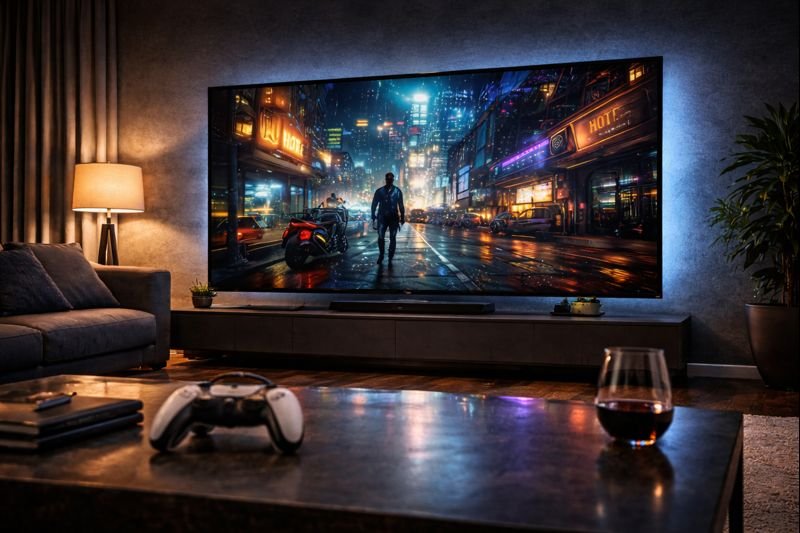

LG C5 OLED Review 2026: Still the King of TVs?
Buying a flagship TV in 2026 is an exercise in managing anxiety. You are about to drop over $3,000 on a sheet of glass, and the questions are endless. Will it burn in? Is it bright enough for my sunny living room? Is it ready for the PS5 Pro? For the last five years, the answer to almost every “Which TV should I buy?” question has been simple: Buy the LG C-Series.
The new LG C5 OLED evo AI arrives with a heavy burden. It has to outperform its legendary predecessor, the C4, while fighting off aggressive competition from Samsung’s QD-OLEDs and Sony’s Bravia 8. Specifically, LG has doubled down on Artificial Intelligence with the new Alpha 9 Gen 8 processor, promising to upscale your old HD content to near-4K perfection.
In this comprehensive LG C5 OLED review, we test the massive 83-inch model to see if it retains the crown. We analyze brightness levels, gaming performance, and the new webOS interface to determine if this is the best TV of 2026.
Check Price on Amazon📖 Table of Contents
1. Product Overview: Evolution, Not Revolution
The LG C5 OLED sits in the “sweet spot” of the premium TV market. It isn’t as astronomically expensive as the G5 “Gallery Series” (which requires wall mounting), but it offers significantly better performance than the entry-level B5. It is the working man’s flagship.

This year, the focus is on the “AI” in the name. The new chipset doesn’t just process images; it “understands” them. It recognizes faces, objects, and backgrounds separately, applying different levels of sharpening and tone mapping to create a 3D-like depth without the goofy glasses. Furthermore, the “Brightness Booster” technology has been refined to squeeze every last nit of light out of the organic pixels.
2. Picture Quality: The AI Difference
OLED technology is famous for one thing: Infinite Contrast. Because each pixel can turn off completely, black is truly black. This makes colors pop in a way that Mini-LED TVs simply can’t match. However, brightness has always been the Achilles’ heel of OLED. The LG C5 addresses this head-on.

AI Super Upscaling
The real magic happens when you watch non-4K content. We tested the C5 with 1080p sports broadcasts and 720p YouTube videos. The AI Super Upscaling is terrifyingly good. It cleans up noise and adds texture to flat surfaces, making HD content look almost indistinguishable from native 4K. If you watch a lot of cable news or sports, this feature alone justifies the upgrade.
3. Gaming Performance: PS5 Pro Ready?
If you are a gamer, stop reading and just buy this TV. LG has been the gold standard for gaming displays for years, and the C5 cements that legacy. Unlike many competitors that only offer two HDMI 2.1 ports, the LG C5 offers four full-bandwidth HDMI 2.1 ports.

144Hz and VRR
The panel supports a native 144Hz refresh rate, making it perfect for PC gamers with high-end rigs. For console gamers, it supports 4K at 120Hz with Variable Refresh Rate (VRR) and Auto Low Latency Mode (ALLM). We tested it with the Steam Deck OLED docked and the PS5, and the input lag is imperceptible—measured at under 5ms.
It is also one of the few TVs to support Dolby Vision Gaming at 120Hz, a feature Xbox Series X users will love.
4. Design & Build: Razor Thin
The LG C5 is a piece of industrial art. The panel itself is thinner than a smartphone. It thickens slightly at the bottom to house the electronics and speakers, but the profile is sleek and modern.

Note on Weight: While the screen is thin, the glass is heavy. The 83-inch model weighs over 90 lbs. Do not attempt to set this up alone. You will need a friend to help lift it onto your media console or wall mount.
5. Smart Features: webOS 26 & AI Hub
LG’s webOS platform continues to improve. The new “Quick Cards” feature organizes your apps into categories like “Game,” “Music,” and “Home Office.” It makes navigating the UI snappy and intuitive.
The TV also acts as a smart home hub with Alexa Built-in and support for Matter. You can control your lights, thermostat, and security cameras directly from the TV remote. Speaking of the remote, the “Magic Remote” is still here. You can point and click like a mouse cursor, which makes typing passwords infinitely easier than using a D-pad.
6. LG C5 OLED Specifications
| Panel Type | OLED evo (WOLED) |
| Resolution | 4K UHD (3840 x 2160) |
| Refresh Rate | 144Hz Native |
| Processor | Alpha 9 Gen 8 AI Processor |
| HDR Support | Dolby Vision, HDR10, HLG (No HDR10+) |
| HDMI Ports | 4x HDMI 2.1 (4K @ 144Hz) |
| Audio | 2.2 Channel (40W) with Dolby Atmos |
| VRR Support | G-Sync Compatible, FreeSync Premium, HDMI VRR |
7. Pros & Cons Verdict
Is the C5 perfect? Not quite, but it is close. Here is the summary.
| The Good (Pros) | The Bad (Cons) |
|---|---|
|
|
8. LG C5 vs. Samsung S95D vs. Sony Bravia 8
The C5 doesn’t exist in a vacuum. Here is how it compares to the competition.
- Buy the LG C5 if: You are a gamer who needs 4 HDMI 2.1 ports, or you watch a lot of low-quality cable/sports content (the upscaling is superior).
- Buy the Samsung S95D if: You have a very bright living room. The QD-OLED panel gets brighter and fights glare better, but lacks Dolby Vision.
- Buy the Sony Bravia 8 if: You are a movie purist. Sony’s processing is slightly more “cinematic” and accurate out of the box, but it is more expensive and only has two HDMI 2.1 ports.
9. FAQ: Burn-in & Brightness
Should I worry about OLED burn-in on the C5?
Does the LG C5 come with a wall mount?
Is the 83-inch model as bright as the smaller ones?
📺 The Cinema Experience
Are you ready to upgrade your living room?
Comment below: Is 83 inches too big, or just right?
🚀 TV Price Drop Alerts!
OLED TV prices crash during Super Bowl and Prime Day. Don’t miss the sale.
🇺🇸 Join USA Deals Channel 🇪🇺 Join Europe Deals Channel
Start Your Own Tech Blog!
Review gadgets and home theater gear. Start your site today with up to 75% off hosting.
Claim Hostinger Discount

[…] the LG C5 OLED dominating the conversation, does this Samsung giant have what it takes to win your living room? In […]
[…] performance, and whether this bundle offers better value than piecing together a setup with an LG C5 or Samsung […]
[…] size for your room, helping you decide between the massive 83″ Samsung S85, the versatile LG C5, or the standard 65″ […]