
Kovess Wireless Mouse Review: The Secret “Jiggler” Feature? (2026)
Working from home has its perks, but also its annoyances. One of the biggest? Your computer going to sleep or your “status” turning idle while you are reading a long document or waiting for a large file to download. You could buy a separate “mouse jiggler” device, but that uses up a USB port and adds clutter to your desk.
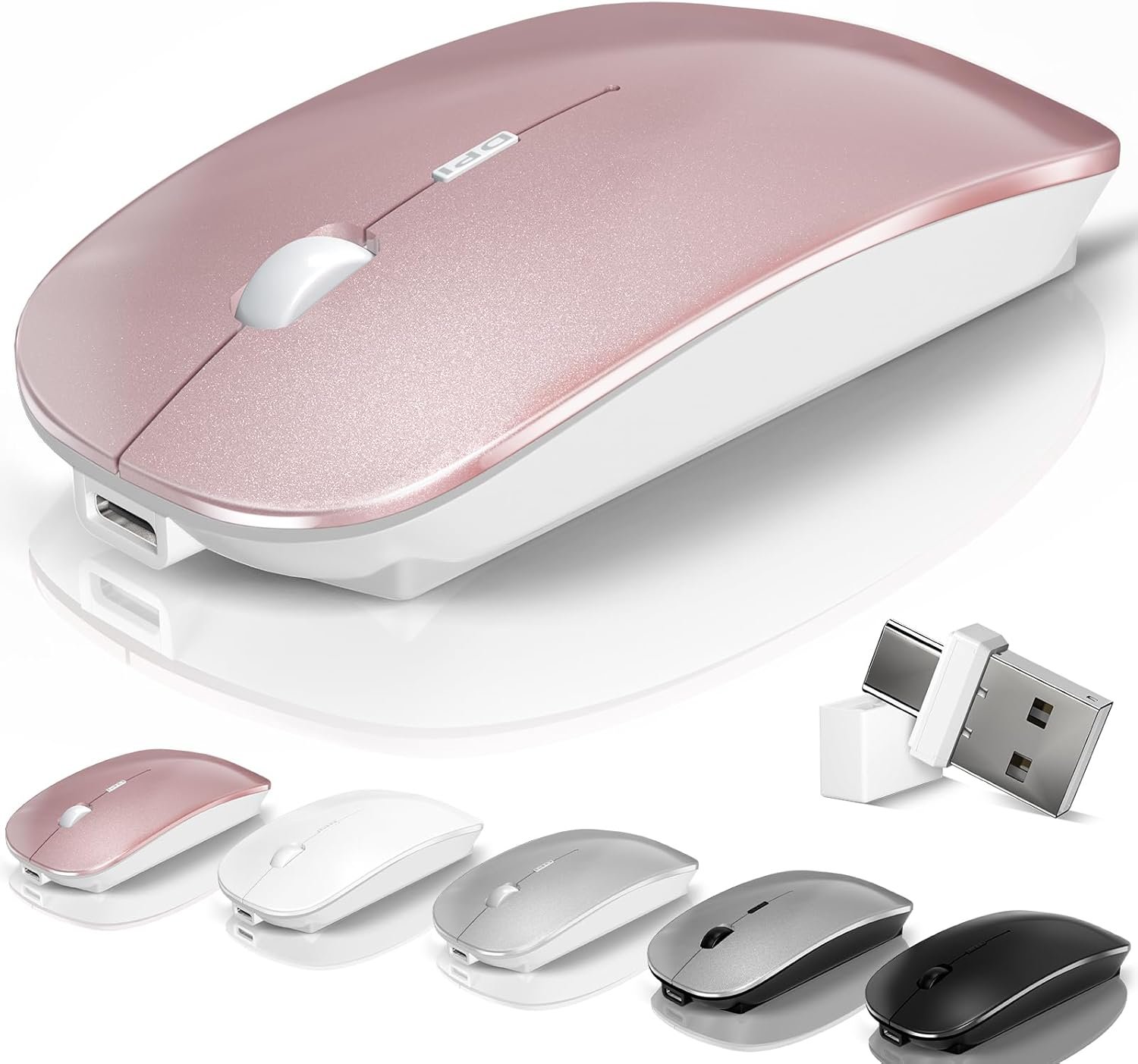
Enter the Kovess Wireless Bluetooth Mouse. At first glance, it looks like a standard, sleek office mouse. But hidden in plain sight is a game-changing feature: a built-in Mouse Jiggler Mode. With a long press of the DPI button, this mouse enters a self-moving mode that keeps your computer awake and active, undetectable by standard IT systems because it is the mouse.
In this in-depth Kovess Wireless Mouse review, we explore if this unique “2-in-1” functionality is worth the hype, or if it compromises on the basic mouse functions like precision and comfort.
Check Current Price on Amazon📖 Table of Contents
1. Product Overview

The Kovess Wireless Mouse is a multi-functional peripheral designed for the modern remote worker. It features a rechargeable battery, silent click buttons, and broad compatibility with Mac, PC, and iPad. The design is slim and symmetrical, making it portable enough to slide into a laptop sleeve.
However, its primary selling point is the integration of a “Mouse Mover” or “Jiggler” directly into the hardware. This eliminates the need for third-party software or external dongles to keep your screen active.
2. The “Secret Weapon”: Jiggler Mode
Most mice just point and click. The Kovess solves a specific problem: the “sleep mode” annoyance.
How It Works
By pressing and holding the DPI button for 3-5 seconds, the mouse enters Jiggler Mode. A green light indicates it is active. In this state, the cursor will automatically make random, imperceptible movements or wiggle slightly.
Why is this useful?
- Prevents Sleep Mode: Keeps your laptop from locking while you are reading a long PDF or watching a webinar.
- Maintains “Active” Status: Prevents Teams, Slack, or Zoom from marking you as “Away” if you step away to grab a coffee or answer the door.
- Undetectable: Because the movement command comes from the mouse hardware itself, the computer sees it as normal user activity. It does not require installing any suspicious software.
💡 Pro Tip: Disabling Jiggler
Don’t forget to turn it off! If you try to use the mouse normally while Jiggler mode is on, the cursor might fight you. Simply hold the DPI button again for 3 seconds to exit the mode.3. Key Features & Connectivity
Tri-Mode Connection
Like the INPHIC mouse, the Kovess offers flexible connection options:
- Bluetooth 5.2 / 3.0: Ideal for MacBooks, iPads, and newer laptops.
- 2.4GHz USB Receiver: Best for desktop PCs.
Uniquely, the Kovess often includes a USB-C adapter in the box (check specific listing), allowing you to plug the USB-A receiver into modern MacBooks that lack standard ports.

Rechargeable Battery
The mouse houses a 650mAh rechargeable battery. It charges via a standard USB-C cable (included). A full charge can last anywhere from 7 to 15 days depending on usage and whether the Jiggler mode is constantly running.
4. Performance: Silence & Precision
Aside from the jiggler, is it a good mouse? The tracking relies on a standard optical sensor with adjustable DPI levels (1000, 1200, 1600). This provides enough precision for general office work, browsing, and basic photo editing.
The buttons feature Silent Click technology, reducing noise by about 90%. This makes it an excellent choice for quiet environments like libraries or late-night work sessions at home.
5. Technical Specifications
| Feature | Specification |
|---|---|
| Special Mode | Built-in Mouse Jiggler (On/Off Switchable) |
| Connectivity | BT 5.2 / BT 3.0 / 2.4GHz USB |
| DPI Levels | 1000 / 1200 / 1600 |
| Battery | 650mAh Rechargeable (USB-C) |
| Buttons | Silent Click (Left/Right) |
| Compatibility | Windows, macOS, iPadOS, Android |
6. Pros & Cons
- Built-in Jiggler keeps PC awake without extra software.
- Tri-mode connectivity (BT + USB) is versatile.
- Comes with USB-C adapter for MacBooks.
- Silent clicks are very quiet.
- Slim, portable design.
- Affordable 2-in-1 solution.
- Jiggler mode drains battery faster than normal use.
- Flat ergonomics may not be comfortable for all-day use.
- No visible battery percentage display (unlike Uineer).
7. Comparison: Kovess vs. Standard Mice
How does it compare to other popular options?
Kovess vs. Tecknet Wireless Mouse
The Tecknet is a superior mouse with higher DPI (4800) and better ergonomics. However, it lacks the Jiggler function. If you prioritize precision, get Tecknet. If you need to keep your screen awake, get Kovess.
Kovess vs. Logitech MX Master 3
There is no comparison in quality; the Logitech is a premium productivity tool. However, the Kovess is a niche utility tool. Many professionals actually own both: the Logitech for work, and the Kovess for keeping the machine active during breaks.
8. Final Verdict
The Kovess Wireless Mouse is a brilliant niche product. As a standard mouse, it is competent—silent, wireless, and rechargeable. But as a productivity utility, it is fantastic. It saves you from the frustration of constant logins and “Away” statuses without requiring you to plug in a separate, suspicious-looking USB dongle.
If you work in a corporate environment with aggressive screen-lock timers, or if you simply want to read long documents without interruptions, this mouse is a “must-have” tool in your bag.
Buy the Kovess Mouse Now9. Frequently Asked Questions
Is the Jiggler mode detectable by IT?
Because the movement command is generated by the mouse hardware itself (just like you moving your hand), the computer sees it as standard HID (Human Interface Device) input. It does not require installing any software.
How do I turn on the Jiggler?
Press and hold the DPI button (usually located below the scroll wheel) for 3 to 5 seconds until the indicator light turns green.
Does it work on Mac without an adapter?
Yes, you can connect directly via Bluetooth. If you prefer to use the USB receiver and have a new Mac with only USB-C ports, you can use the included USB-C to USB-A adapter.
Can I use it as a normal mouse while Jiggler is on?
Technically yes, but the cursor will jitter and drift, making it hard to click things precisely. It is best to toggle the mode off (hold DPI button) when you return to active work.
🚀 Tech Deals Radar
Get alerts on unique gadgets like this one.
🇺🇸 Join USA Deals Channel 🇪🇺 Join Europe Deals Channel
Start Your Own Review Site
Share your gadget finds and earn income. Get up to 75% off hosting.
Claim Hostinger Discount