

INPHIC Bluetooth Mouse Review: Best Silent Mouse Under $25? (2026)
We’ve all been there: it’s the middle of a meeting, a late-night study session in the library, or your partner is sleeping next to you, and every click-clack of your mouse sounds like a gunshot. Finding a reliable mouse that is quiet, doesn’t need constant battery swaps, and actually fits comfortably in your hand is harder than it looks—especially on a budget.
The INPHIC Upgraded Bluetooth Mouse claims to solve all these pain points for less than the price of a takeout lunch. With its standout feature—a visible battery level indicator—plus silent clicks and tri-mode connectivity, it has become a best-seller for students and remote workers alike.
But does “budget” mean “cheap”? In this detailed INPHIC Bluetooth Mouse review, we test the battery claims, the silence of the click, and whether this rechargeable gadget is a hidden gem or electronic waste waiting to happen.
Check Current Price on Amazon📖 Table of Contents
1. Product Overview

The INPHIC Bluetooth Mouse (PM6 Pro / Upgraded Version) is a multi-device wireless mouse designed for versatility. It ditches the old-school AA batteries for a built-in rechargeable 500mAh battery. Its design is ambidextrous-friendly (though side buttons are on the left), featuring a soft-touch matte finish that resists fingerprints and sweat.
It aims to be the “Swiss Army Knife” of budget mice, connecting to laptops via Bluetooth 5.0, older PCs via Bluetooth 4.0, or desktops via the included 2.4G USB receiver.
2. Key Features & Benefits
Tri-Mode Connectivity
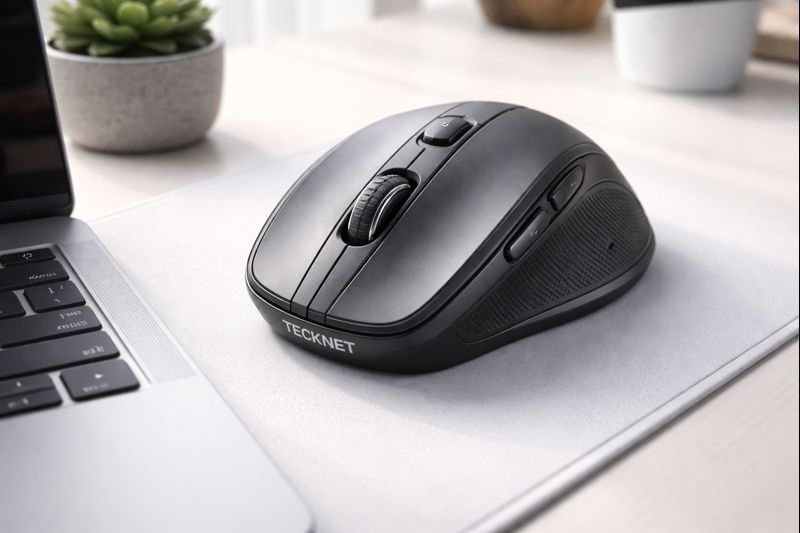
Just like the Tecknet Wireless Mouse, the INPHIC allows you to pair with three devices simultaneously. You can have the USB dongle in your gaming PC, connect via Bluetooth to your MacBook, and pair the second Bluetooth channel to your iPad. Switching takes a single button press on the bottom.

Silent Click Technology
This is arguably the mouse’s best feature. The left and right buttons use advanced sensors to reduce click noise by 90%. It provides a soft tactile bump so you know you’ve clicked, but without the audible snap. It is perfect for open offices, dorm rooms, or working at coffee shops.
Ergonomic Grip
While not a vertical mouse, the INPHIC features a “skin-friendly” streamlined design. The thumb rest is contoured with a Y-shape texture to prevent slipping, offering decent support for medium-sized hands during long work sessions.
3. The Game Changer: Visible Battery
The biggest anxiety with wireless peripherals is: “Is it going to die in the middle of my presentation?”
The INPHIC solves this elegantly with a Visible Power Display. Four small LED lights on the top of the mouse indicate the remaining battery level (25%, 50%, 75%, 100%). You never have to guess. When it runs low, simply plug in the included USB-C cable (upgraded from older Micro-USB models) and keep working while it charges.
💡 Pro Tip: Smart Charging
To extend the battery lifespan, try to charge the mouse when it hits the last 25% LED indicator rather than letting it drain completely to 0%.4. Performance: Silent Clicks & DPI
For a budget mouse, the tracking is surprisingly sharp. It offers adjustable DPI settings of **1000, 1200, 1600, and 2400**. This range covers everything from slow, precise photo editing to fast dual-screen navigation.
While it won’t compete with the Logitech MX Master 3 in terms of scrolling momentum or customization software, it performs reliably on most surfaces—including wood desks and fabric sofa cushions—without needing a mousepad.
5. Technical Specifications
| Feature | Specification |
|---|---|
| Connectivity | BT 5.0 / BT 4.0 / 2.4GHz USB |
| DPI Levels | 1000 / 1200 / 1600 / 2400 |
| Battery | 500mAh Rechargeable (USB-C) |
| Buttons | 6 (Silent Left/Right) |
| Special Feature | LED Battery Level Indicator |
| Compatibility | Windows, Mac, Android, iOS |
6. Pros & Cons
- Visible battery indicator eliminates “dead mouse” anxiety.
- Ultra-silent clicks are perfect for quiet environments.
- Connects to 3 devices at once.
- Rechargeable via USB-C (no batteries to buy).
- Works comfortably on various surfaces.
- Extremely affordable.
- Scroll wheel is not silent (only main buttons are).
- Sleep mode kicks in quickly (3 mins), requiring a click to wake.
- Side buttons may feel “mushy” compared to premium mice.
- Not suitable for competitive gaming.
7. Comparison: INPHIC vs. Competitors
How does it stack up against other budget ergonomic mice?
INPHIC vs. Tecknet Wireless
The Tecknet model offers higher DPI (4800 vs 2400), making it better for huge monitors. However, the INPHIC wins on convenience because it is rechargeable, whereas the Tecknet requires AA batteries.
INPHIC vs. Nulea Trackball
If you have wrist pain, the Nulea M501 Trackball is superior for ergonomics since you don’t move your arm. But for traditional mouse users who want portability, the INPHIC is smaller and lighter.
8. Final Verdict
The INPHIC Bluetooth Mouse is the undisputed king of value. It brings premium features like USB-C charging, multi-device pairing, and a battery indicator to a price point that is usually reserved for disposable, wired junk.
If you are a student, a library-goer, or a remote worker looking for a reliable, silent daily driver that won’t annoy your roommates, this is the mouse to buy. It’s not fancy, but it is incredibly functional.
Get the INPHIC Mouse Now9. Frequently Asked Questions
Does the silent click apply to all buttons?
The main left and right click buttons are silent (90% noise reduction). However, the side buttons and the scroll wheel click are standard and make a normal clicking sound.
Does it work with iPad?
Yes! It works perfectly with iPadOS (version 13 and above) via Bluetooth. You can use it to navigate your iPad just like a laptop.
Can I use it while charging?
Yes, you can use the mouse while it is plugged in via the USB-C cable. It effectively becomes a wired mouse during charging.
How do I wake it up from sleep?
To save battery, the mouse enters sleep mode after a few minutes of inactivity. Unlike some mice that wake on movement, you must click a button to wake the INPHIC.
🚀 Tech Deals Radar
Get alerts on budget tech gems before they sell out.
🇺🇸 Join USA Deals Channel 🇪🇺 Join Europe Deals Channel
Start Your Own Review Site
Review gadgets like this and earn income. Get up to 75% off hosting.
Claim Hostinger Discount




[…] Uineer vs. Inphic Bluetooth Mouse […]
[…] the INPHIC mouse, the Kovess offers flexible connection […]